
Download TicTacPhoto – photo album, calendar, photo printing, custom keepsakes, digital photography
Overview
TicTacPhoto is a mobile application designed to help users transform their digital photographs into personalized keepsakes. The app enables the creation of custom photo albums, calendars, and photo agendas, offering a straightforward way to organize and preserve cherished memories. Targeted at individuals seeking a simple yet effective tool for photo curation and presentation, TicTacPhoto caters to both casual users and those with a deeper interest in visual storytelling. Whether commemorating a special event, documenting a journey, or celebrating a milestone, the app provides a platform to craft meaningful visual narratives.
Although the developer did not provide detailed background information, the app’s longevity—first released in 2010—suggests a stable and enduring presence in the digital photography space. Its continued availability on Android indicates sustained relevance in a competitive market. Real-world use cases include family memory preservation, gift creation for holidays or birthdays, and organizing travel photos into a tangible format. In the broader app ecosystem, TicTacPhoto fills a niche by combining photo organization with print-ready design, bridging the gap between digital storage and physical keepsakes. This functionality supports users who value both accessibility and permanence in their photo collections.
Key Features & Functionality
- User-Friendly Interface: The app features two distinct modes—Easy and Expert—offering a flexible experience for users of varying skill levels. The intuitive layout ensures that navigation is clear and accessible, reducing the learning curve for new users while still supporting advanced customization.
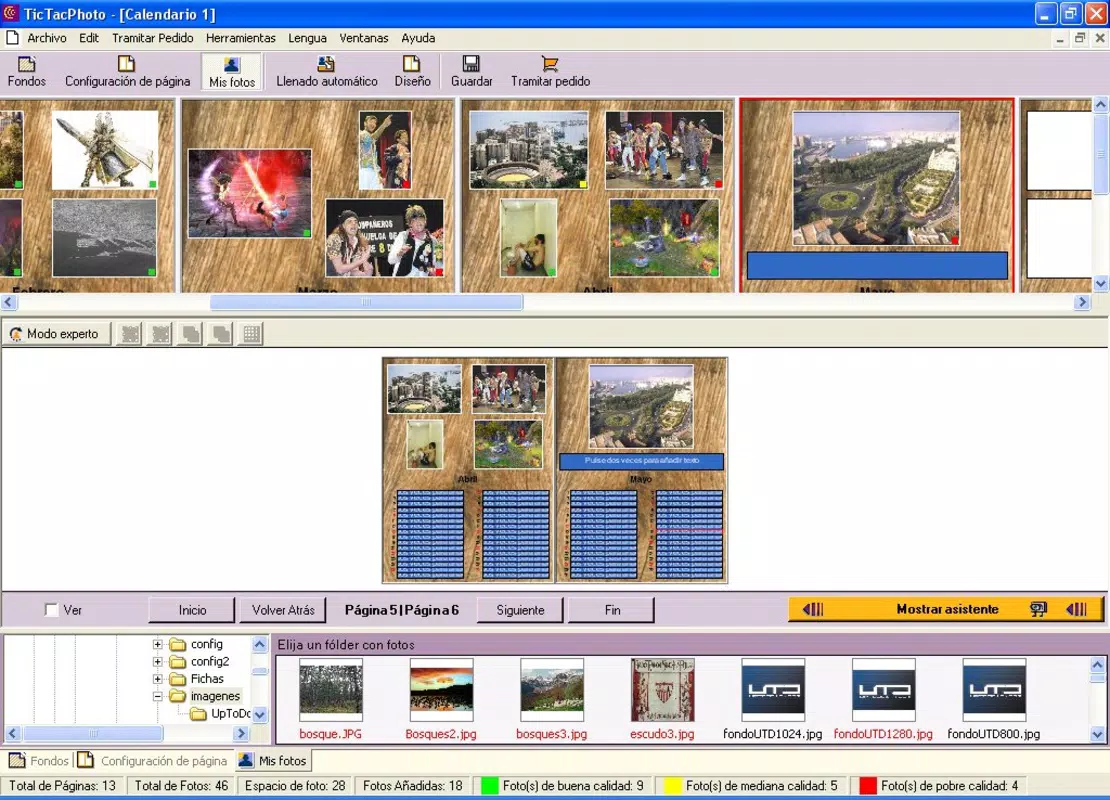
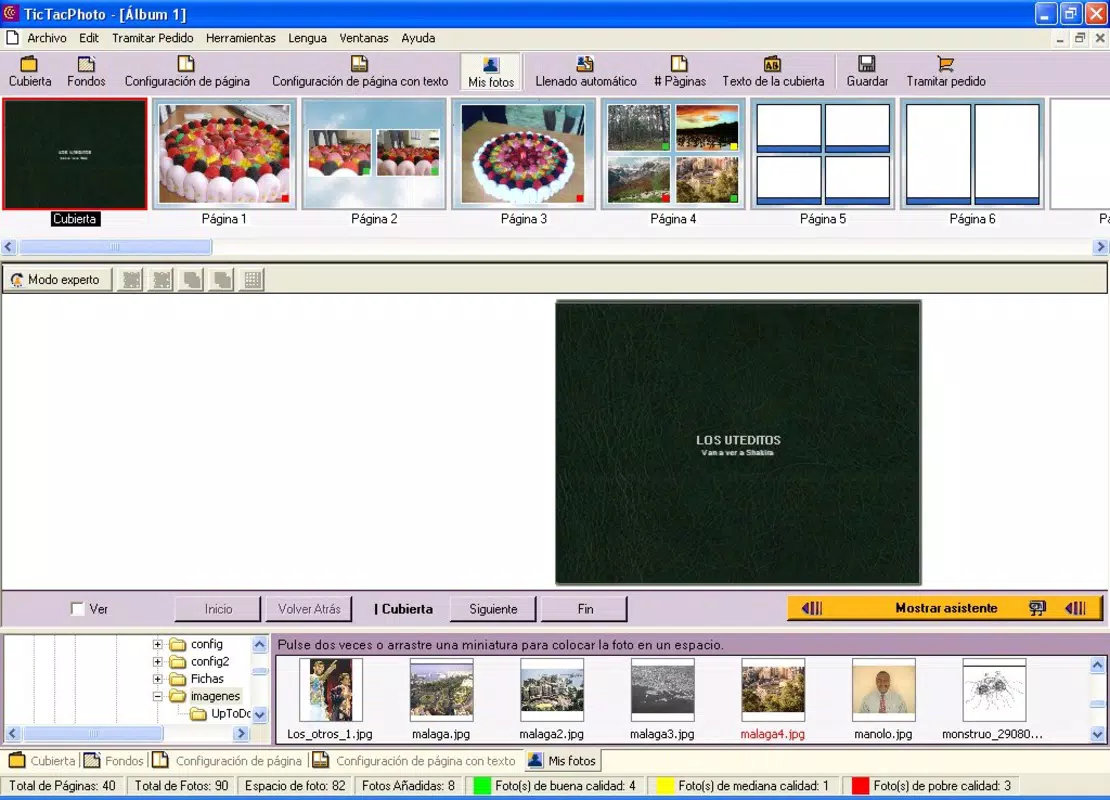
- Customizable Album Options: Users can personalize their creations with multiple cover designs, font styles, and background themes. This level of control allows each album to reflect individual taste and storytelling intent, enhancing the emotional value of the final product.
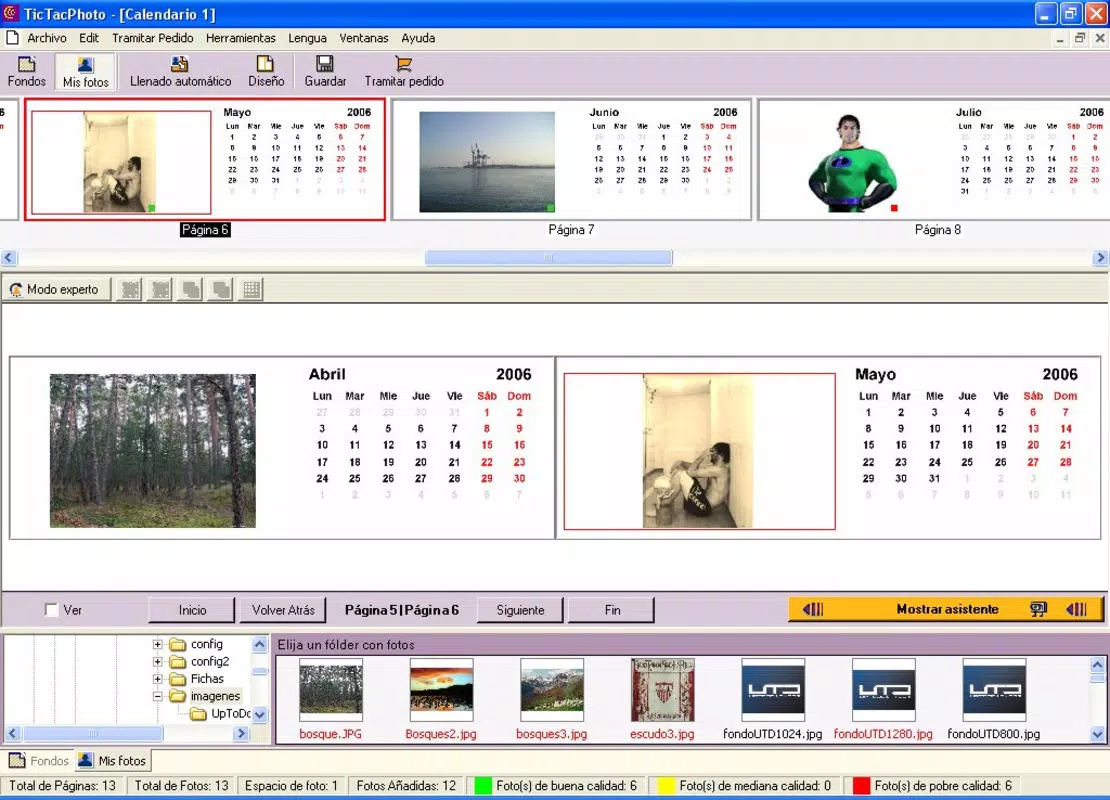
- Versatile Creation Types: TicTacPhoto supports the development of three primary formats: traditional photo albums, photo agendas, and personalized calendars. This variety enables users to select the most suitable format based on occasion, purpose, or audience, making the app adaptable across different use cases.
- Print Options Available: Beyond digital output, the app facilitates physical printing through leaflet or bound book formats. This feature allows users to share their creations in a tangible form, ideal for gifting or long-term preservation.
- Easy Photo Upload: The process of selecting and organizing images is streamlined, allowing users to quickly compile their favorite photos. This functionality supports rapid project initiation and efficient workflow, especially for users managing large photo libraries.
For example, a user planning a birthday gift could upload photos from the past year, arrange them in a calendar format, customize the cover with a favorite quote, and order a bound print. Similarly, a traveler might create a photo album of a trip, using thematic backgrounds and fonts to match the journey’s mood.
Interface, UX & Performance
TicTacPhoto presents a clean and organized interface, emphasizing usability through minimal visual clutter. The layout prioritizes core functions such as photo selection, layout design, and print options, ensuring that users can focus on creativity without distraction. Navigation follows a logical flow, with clearly labeled menus and intuitive gestures, supporting smooth transitions between stages of album creation.
Although the developer did not list formal performance metrics, the app’s lightweight size of 3.2 MB suggests efficient resource usage. This makes it suitable for a wide range of Android devices, including those with limited storage or processing power. The app maintains responsiveness during image loading and layout adjustments, contributing to a stable user experience. While specific details on compatibility with older or newer Android versions were not disclosed, the app’s long-standing presence indicates broad device support. Overall, the interface balances simplicity with functionality, delivering a reliable experience for users focused on creating and sharing photo projects.
Platform Compatibility & Technical Requirements
TicTacPhoto is available exclusively on the Android platform. The current version is 2.1.1, with a file size of 3.2 MB. The app is offered at no cost, making it accessible to a wide audience.
The developer did not specify minimum OS requirements or compatibility details for specific Android versions. As such, users should ensure their device meets general Android system standards to install and run the application successfully. No additional permissions or hardware dependencies were mentioned.
Given the app’s age and modest size, it is likely compatible with a broad range of Android devices, including entry-level smartphones. However, users are advised to verify their device’s system compatibility before installation. The absence of detailed technical specifications means that performance may vary depending on individual device configurations.
Pros and Cons
- Free to download and use, making it accessible to budget-conscious users
- Supports multiple creation formats: albums, calendars, and agendas
- Offers customizable design elements including covers, fonts, and backgrounds
- Provides print-ready output in both leaflet and bound formats
- Simple photo upload and organization process
- Developer did not provide specific OS version requirements
- Only available on Android, limiting access for iOS users
- No information on cloud sync or cross-device access
- Version 2.1.1 appears outdated compared to current app standards
- Limited visibility into update frequency or future development plans
FAQ
Is TicTacPhoto safe to download and install?
Yes, the app is free and available through official Android channels. It does not require elevated permissions, and its small file size suggests minimal risk. Users should still ensure they download from trusted sources.
Can I use TicTacPhoto on iOS devices?
Currently, the app is only available on Android. There is no official version for iOS devices.
Does TicTacPhoto support cloud storage or photo syncing?
The developer did not disclose any integration with cloud services or cross-device synchronization.
How often is TicTacPhoto updated?
Specific update frequency was not provided. The latest version available is 2.1.1, released in 2010.
Can I edit my photos within the app?
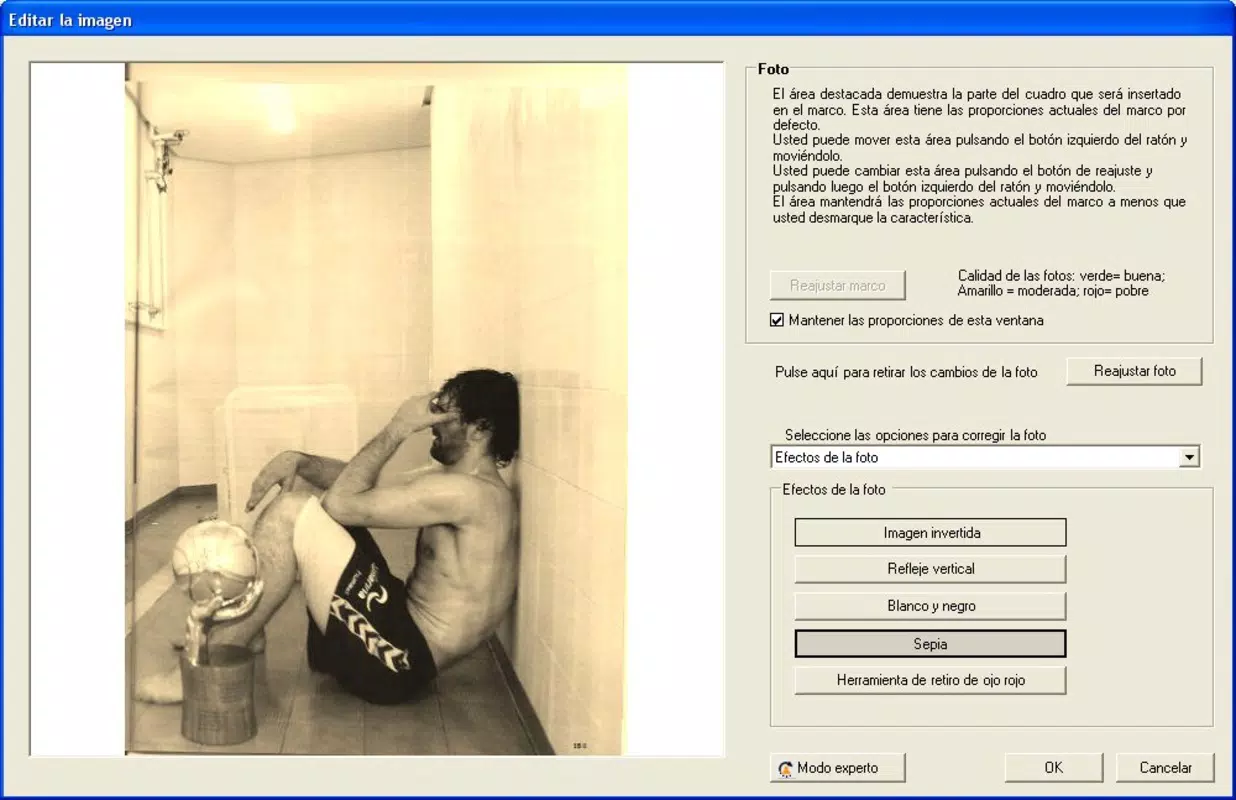
The app allows for basic photo organization and layout design but does not include advanced photo editing tools such as cropping, filters, or color correction.
Final Thoughts + CTA
TicTacPhoto remains a dependable tool for users who want to create personalized photo albums and calendars without the complexity of professional design software. Its simplicity, combined with versatile output options, makes it ideal for those who value tangible memories and creative expression. While the app’s interface and features are modest by today’s standards, its core functionality continues to serve users seeking a straightforward path from digital images to printed keepsakes. The lack of recent updates and limited platform availability are notable drawbacks, but the app’s free status and long-standing presence offer reassurance for those prioritizing accessibility and nostalgia.
For anyone looking to preserve special moments in a physical format—whether for personal enjoyment or as a heartfelt gift—TicTacPhoto delivers real value. Its focus on customization and print readiness sets it apart in the productivity and digital photography space.
Download TicTacPhoto now


